
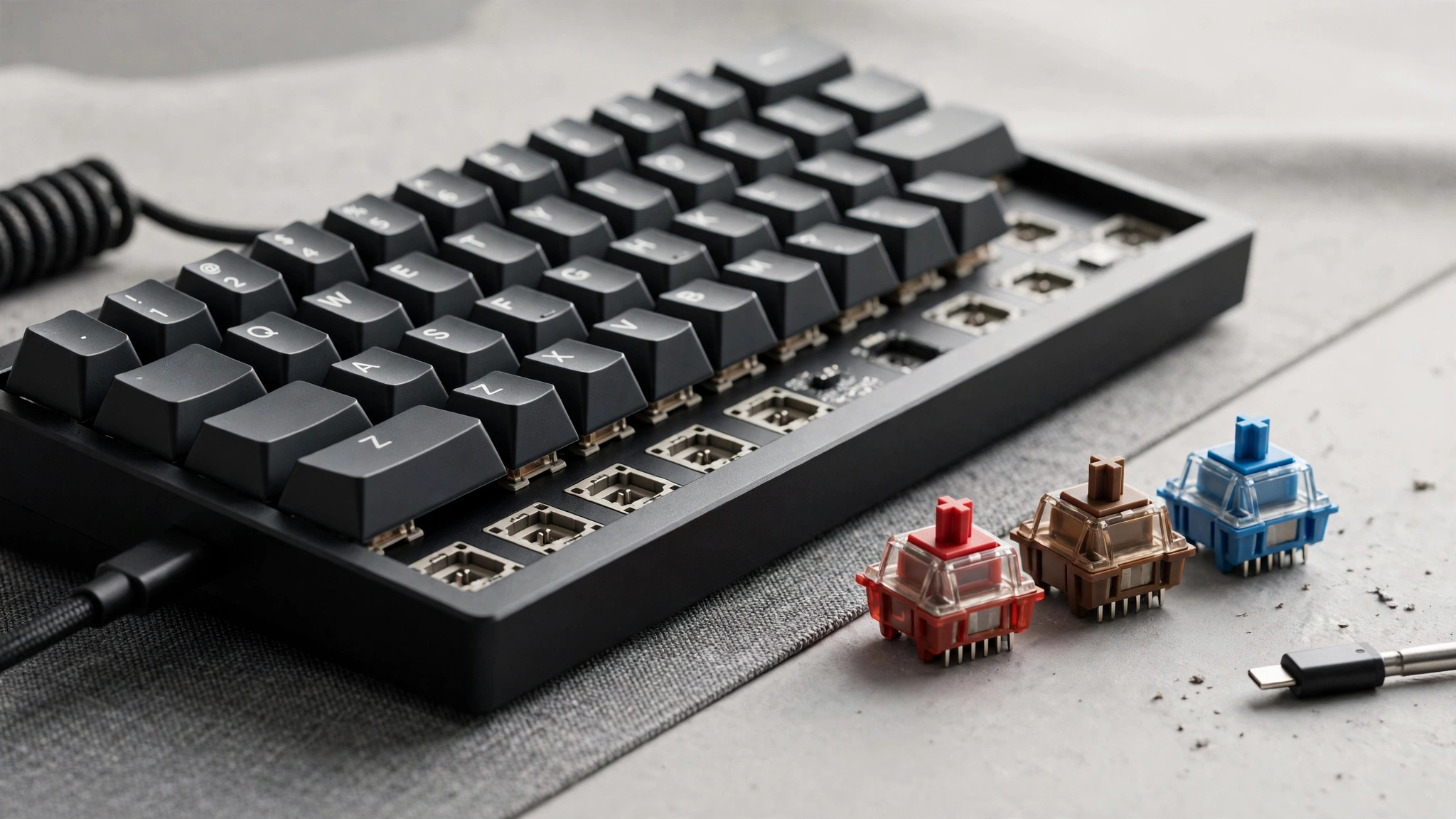
Mechanical Keyboard Switches Explained: Linear, Tactile and Clicky Compared
Introduction
If you have ever typed on a mechanical keyboard and wondered why it feels so different from a laptop keyboard, the answer sits under every keycap. Each key has its own individual switch, and that switch decides how the key feels, how it sounds, and how much effort each press takes. Switches are usually grouped into three families: linear, tactile and clicky. The differences sound small on paper, but after a full day of typing or an evening of gaming they become very obvious. This guide to mechanical keyboard switches explained covers how each family behaves, which numbers on a specification sheet actually matter, and how to pick a switch that suits the way you work and play.
What a Keyboard Switch Actually Does
A mechanical switch is a small spring-loaded mechanism. When you press a key, the stem inside the switch moves down until two metal contacts meet, which registers the keystroke. The point where that happens is called the actuation point, usually around two millimetres into the press, while the full travel to the bottom is often close to four millimetres. Manufacturers also rate switches by actuation force, measured in grams, which tells you how hard you need to press. Light switches around 35 to 45 grams feel effortless, while heavier ones near 60 grams give a firmer, more deliberate press. Understanding these basics makes the three families much easier to compare.
Linear Switches: Smooth From Top to Bottom
Linear switches move straight down with no bump and no built-in sound. The press feels consistent from the first millimetre to the last, which is why many gamers prefer them: rapid, repeated presses feel predictable, and there is nothing in the travel that slows a finger down. Typists who like a light, fluid rhythm also enjoy linears, especially softer red-style switches. The trade-off is feedback. Because nothing tells your finger that the press has registered, beginners sometimes bottom out harder than needed, pressing every key all the way down. With practice, most people learn to type lightly on linears and enjoy the smooth, quiet character they offer in almost any setting.
Tactile Switches: Feel Without the Noise
Tactile switches add a small, rounded bump partway through the press. That bump is your confirmation that the keystroke has registered, so you can release the key without pushing it all the way down. Many writers and programmers find this makes long sessions more comfortable and reduces mistakes, because the finger gets clear information with every character. Brown-style tactile switches are the classic example and a popular first mechanical switch. The bump is gentle rather than dramatic, and the sound stays modest, more of a soft tap than a clack. If you share a room but still want feedback you can feel, tactiles are often the most balanced place to start.
Clicky Switches: Sound as Feedback
Clicky switches combine a tactile bump with a deliberate clicking sound, produced by a small mechanism inside the switch that snaps as you press. The result is deeply satisfying for many people: every keystroke is both felt and heard, a little like using a classic typewriter. Blue-style clicky switches are the best known, and their fans describe typing on them as rhythmic and precise. The obvious downside is noise. A clicky keyboard in a quiet office, a shared flat or a late-night household will quickly annoy everyone nearby. Clicky switches are best enjoyed in a private space where the sound is part of the pleasure rather than a problem for others.
Weight, Travel and Other Numbers That Matter
Beyond the three families, a few specifications shape the daily feel. Heavier switches resist accidental presses and suit heavy-handed typists, while lighter switches reduce finger fatigue over long sessions. Some switches actuate higher in the press for fast response in games, while longer-travel switches feel softer and more forgiving. Sound also depends on more than the switch itself: keycaps, the keyboard case and even your desk surface all change the final noise. That is why two keyboards with identical switches can sound surprisingly different. If possible, try a switch tester, a small pad with one of each switch type, before buying a full keyboard.
Choosing Quiet Switches for Shared Spaces
For many people the deciding factor is not feel at all, but volume. Open-plan offices, libraries, dorm rooms and homes with sleeping children all reward a quieter setup. Silent versions of linear and tactile switches use soft padding inside the housing to muffle both the downward press and the return. If low noise is your priority, it is worth reading a dedicated guide to the best quiet keyboard switches before you buy, because the differences between silent models are bigger than most specification sheets suggest. Pairing quiet switches with a solid desk mat and softer keycaps can reduce the sound even further.
Conclusion
Linear, tactile and clicky switches are not better or worse than each other; they simply suit different hands, habits and environments. Choose linears for smooth speed, tactiles for gentle feedback, and clickies for satisfying sound in your own space. Pay attention to force and travel, think honestly about how much noise your surroundings can tolerate, and test before you commit if you can. The right switch makes a keyboard disappear under your fingers, leaving only the words or the game in front of you.